Actionable metrics: what 529 dashboard tiles connect to
A tour of the 529 tiles we run in Butler, from Search Console and Azure to cameras, payments and iCount, and the five parts that make a number actionable.
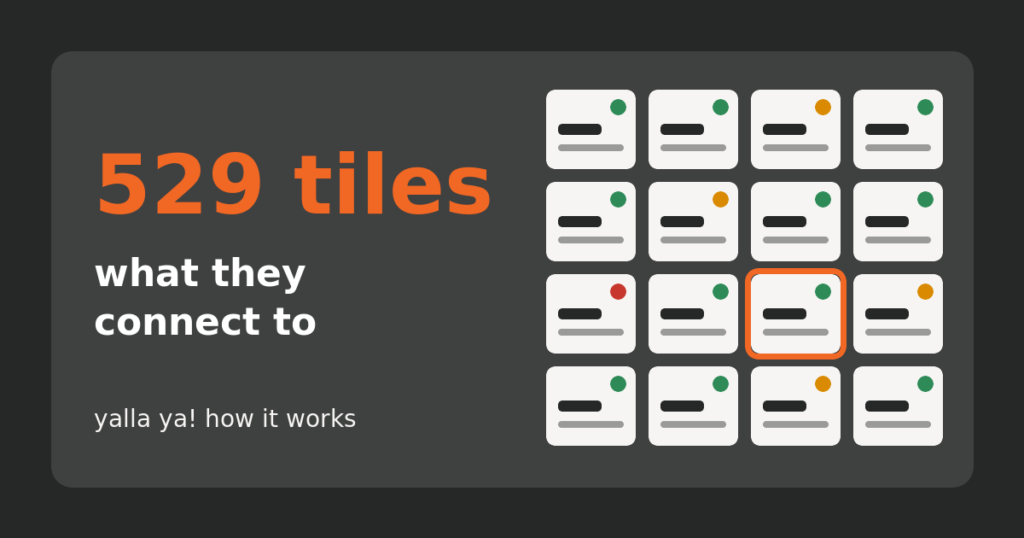
Most dashboards are full of numbers and short on actionable metrics: figures that tell you whether to act, and how. So we counted our own. On the evening of 17 November 2026, the 21 projects we run in Butler carried 529 tiles between them. This is a tour of what those tiles connect to, from Google Search Console to security cameras, and of the five parts that let a person act on a number.
What do 529 dashboard tiles connect to?
A tile is one small check that runs on a schedule and reports one thing. Of ours, 316 run on 35 checks shared by every project, so a backup is judged the same way everywhere. Another 208 are scripts written for one business, and 5 are filled in by AI routines. The projects are online stores, booking and service sites, CRMs, a mobile app, servers and our own website, each with its own screen in Butler, our AI development cockpit.
- Search and analytics. Clicks and impressions from Google Search Console in 11 projects, visitors and purchases from Google Analytics in 10, real Google positions for chosen keywords in 10, mobile speed from PageSpeed Insights in 8 and the Google Maps listing in 4. They feed our SEO work.
- Servers and cloud. Uptime, load, disk, backups, security updates, slow database queries. Domain and certificate expiry is the most widespread check: 18 projects. One online store runs on Azure, so four tiles read its two virtual machines and their Azure Backup. For our own Metro y Metrobús app, one tile checks that every Google Cloud function answers and another estimates the month’s Google Cloud spend against a budget. It is the daily side of hosting and servers.
- Network and cameras. At a business with guest Wi-Fi, five tiles read the Omada network controller: internet lines, access points, connected devices, router rules open to the internet. Nine more watch a Frigate recording server: 43 security cameras, checked every five minutes, and one sending less than a frame a second counts as offline.
- Payments and stores. WooCommerce sales, subscriptions, failed renewals, abandoned carts, stuck orders, the checkout funnel. One store’s tiles read its Mercado Pago account directly.
- Accounting and invoicing. Our own invoices live in iCount. Three tiles read it: sales against last year, the month’s forecast, and cash collected against invoices still unpaid. For an electronic invoicing platform, a tile works out how many months its prepaid invoice stamps will last.
- Apps, CRM and the rest. App versions, crash rates and store reviews from Google Play and the App Store. CRM jobs due today and overdue. E-mail deliverability in 16 projects, cookie consent in 10.
What matters is less the connection than bringing the source’s information to the surface, where someone can act on it. Card payments through Stripe, PayPal, Mercado Pago or Cardcom all end up on the same screen. On stores that charge through Stripe or PayPal, a tile counts the payments that failed. On a site in Israel that sends money back to customers’ cards, a tile shows Cardcom’s answer for each transfer.
Actionable metrics have five parts
A tile that lacks one of them is decoration.
- One short value. “42/43 online”. “No backup”. “0 of 59 renewals failed”.
- A colour with a written rule. Green is fine, amber means watch, red means act. The rule is fixed in advance: the Azure Backup tile turns amber when the newest recovery point is older than 26 hours, red after 50. A tile whose reading is older than twice its schedule turns grey, because an old green cannot be trusted.
- A one-line note that says what it means. Not “WAN2 offline” but “the main line is fine, but the backup line fails its internet check, so failover would not work”.
- An alert that says what to do. A red tile is not an alert by itself. An alert is raised only when someone has to act. It carries the evidence and the next step, and closes by itself after three clean readings in a row.
- A chat that reaches the system behind the number. One click on the tile or the alert opens a chat with the AI inside that project, where the code, the server access and the evidence already are. This is the connection that chat assistants, coding assistants and dashboards do not make.
| What we watch | Where the number comes from | What makes it actionable |
|---|---|---|
| Search traffic | Google Search Console, Bing | Amber when 28-day clicks fall more than 10 percent. Red only when the site or a key page drops off a cliff. |
| Security cameras | Frigate recording server | Names the camera that stopped sending frames. Next step: check the camera or its network, or switch it off if it was removed. |
| Money sent back to cards | The site’s payment records, with Cardcom’s answer | A customer who left the payment page is not a problem. Only stuck, double-paid or truly declined transfers raise an alert. |
| Unpaid invoices | iCount | A setting says after how many days an unpaid invoice turns amber. The default is 30. |
What the colours look like on an ordinary day
When we counted, 527 of the 529 tiles had a reading: 353 green, 117 amber, 56 red and 1 grey. About one in three was asking for a look. We do not read that as failure. A screen that is always green usually checks too little.
Some amber tiles are simply honest about what they cannot see. One camera tile reads “no data” because the recording server does not report recording times yet. On yalla-ya.com itself, a tile is amber because 13 of the 16 texts on the second screen of the Hebrew cookie banner are still in English.
Where the person came in
Tiles report and people decide. On 16 November the owner decided to switch on automatic updates for every plugin on yalla-ya.com; the updates tile now reads “auto-updates on for all”. The backup-line alert ends in a call to the internet provider and a failover test, which only a person can do. And the e-mail tile on our own site can read the domain’s mail settings but not which folder a message lands in: that is checked in the mailbox and recorded by hand.
How to test the numbers you already have
Pick any number on your dashboard and ask five questions. Can I read it in two seconds? Does its colour follow a written rule? Does it say what it means? When it goes wrong, is someone told what to do? Can that person, or the AI, reach the system behind it?
The Butler page shows six example dashboards by industry. If you would rather look at your own numbers with us, book a free 30-minute consultation and project review.
Keep reading
 Business + dev tools
AI tools for business: what none of them connects
Chat assistants, coding assistants and dashboards each do one piece well. None of them connects your numbers, your decisions and your code.
 Expert talent
Server security updates: one week across dozens of servers
Four published flaws, dozens of servers, one week: what automatic updates fixed on their own, and what needed a reboot and a person.
 Field notes
How we automate bookkeeping so no invoice gets skipped
A field note from our own books: three AI routines chase tax invoices and check month-end gaps, a tile flags unpaid invoices. Real counts.